Description
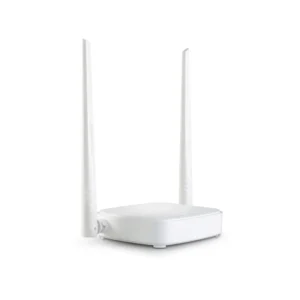
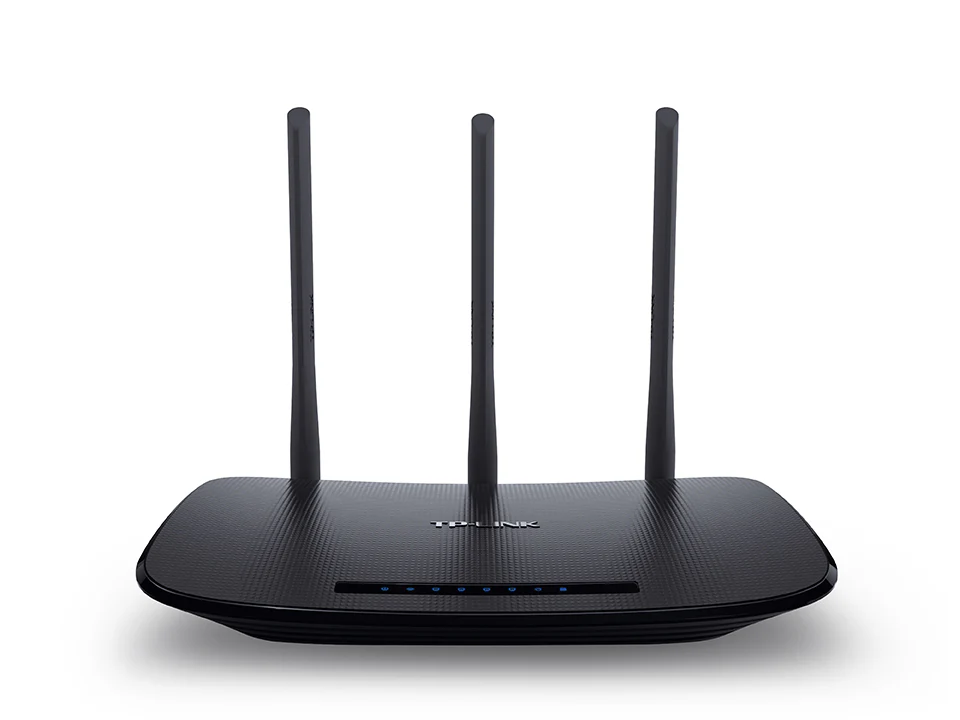
A TP-Link WiFi Device is one of the most reliable networking solutions for homes, offices, and industrial setups. Known for its strong connectivity, easy configuration, and high-speed performance, TP-Link helps you stay connected without interruptions. At The Rapid Fire Safety, we provide complete TP-Link WiFi installation, setup, and maintenance services in Lahore and nearby areas.
Whether you need TP-Link routers, range extenders, or access points, our experts ensure seamless connectivity with stable internet coverage across every corner of your property. We design and install customized networking solutions that match your internet usage, building layout, and device requirements.
Why Choose TP-Link WiFi Devices
-
Dual-band connectivity for faster data transfer
-
Long-range coverage for large spaces
-
Secure network access with WPA3 encryption
-
Smart setup through TP-Link Tether App
-
Compatible with Unifi, Tenda, and other networking systems
We ensure your TP-Link WiFi Device integrates perfectly with CCTV systems, fire alarm setups, and smart home automation, giving you secure and uninterrupted performance every time.
FAQs about TP-Link WiFi Devices
1. What is a TP-Link WiFi Device used for?
It provides wireless internet connectivity to multiple devices like computers, mobiles, and security systems across your home or office.
2. Is TP-Link good for large homes or offices?
Yes, TP-Link offers long-range routers and mesh systems designed for wide coverage and stable performance.
3. Can TP-Link work with other brands like Tenda or Unifi?
Yes, TP-Link devices are fully compatible with most networking systems, including Unifi and Tenda.
4. How can I install a TP-Link WiFi Device?
You can install it manually through the TP-Link Tether App or call our experts for professional installation and configuration.
5. Does TP-Link support CCTV and security systems?
Yes, TP-Link provides strong bandwidth and reliable connectivity for CCTV monitoring and IP camera systems.
6. How often should I update my TP-Link firmware?
We recommend updating it every few months to ensure security and optimal performance.
7. What’s the difference between a router and an access point?
A router distributes internet, while an access point extends WiFi coverage to dead zones or larger spaces.
8. Can TP-Link devices handle multiple users at once?
Yes, with MU-MIMO technology, TP-Link routers manage multiple devices without slowing down the connection.
9. Is TP-Link suitable for smart home automation?
Absolutely, TP-Link integrates smoothly with smart devices, CCTV, and home automation systems.
10. Do you provide installation and maintenance support?
Yes, The Rapid Fire Safety provides full installation, setup, and maintenance for TP-Link WiFi devices.
11. How do I fix weak WiFi signals?
You can reposition your router, add a TP-Link range extender, or call our team for professional troubleshooting.
Contact Us
For expert TP-Link WiFi Device installation or complete networking solutions, contact The Rapid Fire Safety today.
Email: info.rapidfiree@gmail.com
Phone: 0320-5004567 | 0324-4605683
Address: DHA Phase 6, C-Block, Lahore